
Download PDF View Edit – Free PDF Viewer & Editor for Windows, Mac, Android, iOS
PDF View Edit is a powerful, secure, and user-friendly PDF viewer and editor designed for Windows, Mac, Android, and iOS users. This versatile software simplifies the management of PDF documents with a clean interface and robust feature set. Whether you're reviewing academic papers, signing contracts, or editing reports, PDF View and Edit delivers a seamless experience.
With advanced annotation tools, digital signature support, and multi-format conversion capabilities, it's ideal for students, professionals, and businesses alike. The app is free to download and update regularly, ensuring compatibility and security. Its intuitive design makes it easy to use for both beginners and advanced users.
Powerful PDF Editing & Annotation Tools
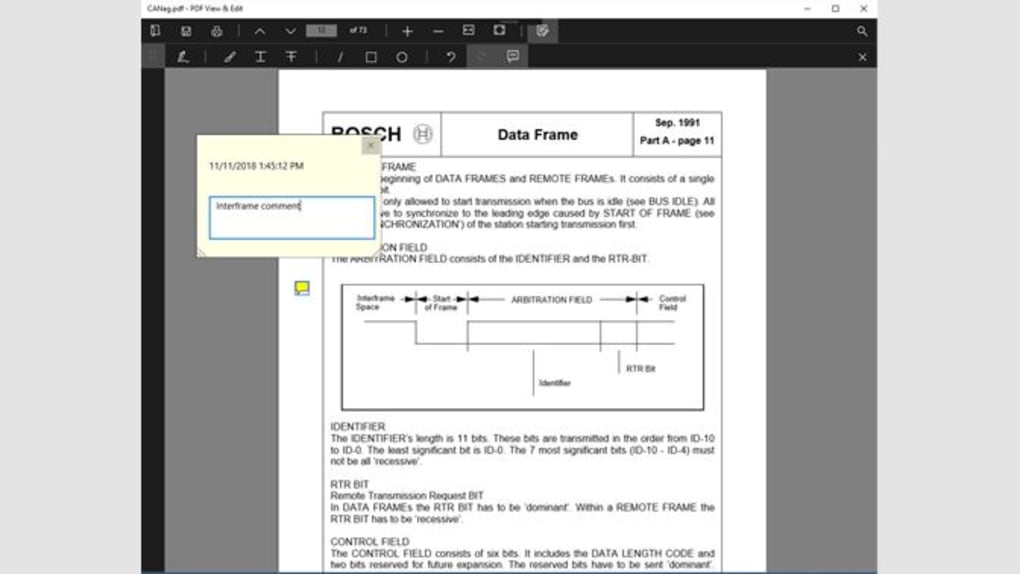
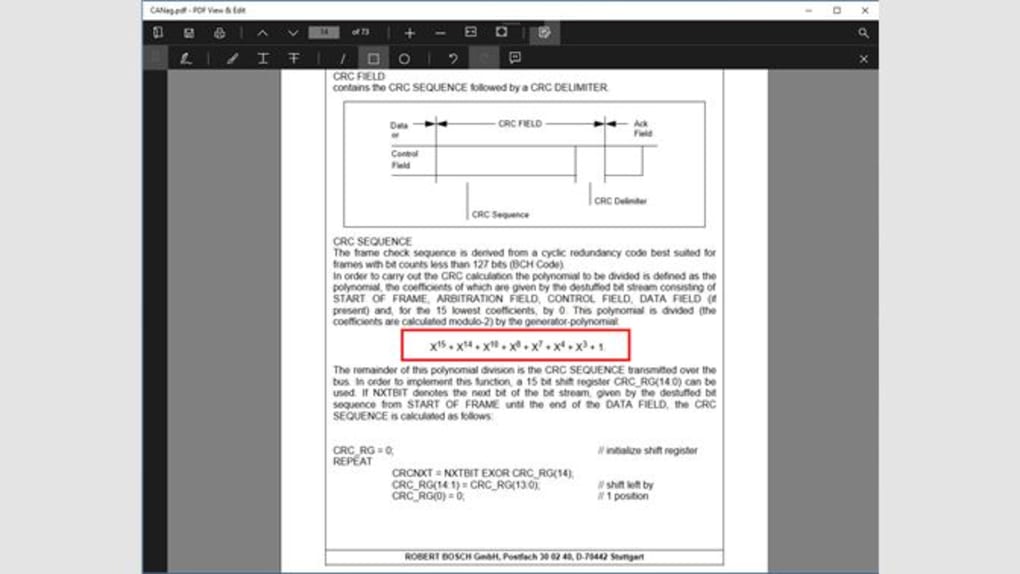
One of the standout features of PDF View Edit is its comprehensive suite of annotation tools, making it a top choice among PDF software. Whether you're a student highlighting key points in lecture notes or a professional marking up a business proposal, the app provides the precision and flexibility you need. The software supports a wide range of annotation types, including highlighting, underlining, striking through text, and adding freehand drawings with customizable colors and line thickness. You can also insert arrows, circles, rectangles, and lines to draw attention to specific areas of the document.
What truly sets PDF View Edit apart is its annotation summary feature. This tool compiles all annotations into a single, navigable list, allowing you to jump directly to any marked section with just a tap. This is incredibly useful when reviewing lengthy documents, such as legal contracts or research papers, where you need to quickly reference comments or highlights. The app also allows you to add text comments, which can be pinned to specific pages or sections, making collaboration seamless. These comments are fully editable and can be replied to, fostering clear communication in team environments.
Additionally, the software supports layer management, so you can organize your annotations and edits without cluttering the original document. This is particularly helpful for professionals who need to maintain clean, professional-looking final versions. The intuitive toolbar and customizable workspace ensure that the most-used tools are always within reach, boosting productivity. With PDF View Edit, you’re not just viewing PDFs—you’re actively engaging with them in a smart, efficient way.
Seamless File Conversion & Multi-Format Support
PDF View Edit goes beyond basic viewing and editing by offering robust file conversion capabilities, making it a true all-in-one document solution. The software supports a wide array of file formats, including DOCX, XLSX, PPTX, JPG, PNG, and BMP, allowing you to convert these files into high-quality PDFs with just a few clicks. This feature is especially beneficial for users who frequently receive documents in different formats and need to standardize them into PDFs for sharing, archiving, or printing.
Converting files is straightforward: simply open the desired document within PDF View Edit, click on the “Convert” option, choose “PDF” as the output format, and select your preferred settings—such as page range, quality, and compression level. The app preserves the original formatting, fonts, and layout, ensuring that your converted PDFs look exactly as intended. For users working across teams or with clients, this consistency is crucial for maintaining professionalism.
Moreover, the software supports batch processing, enabling you to convert multiple files at once. This saves significant time when dealing with large volumes of documents, such as invoices, reports, or project deliverables. The app also allows you to merge multiple PDFs into a single file, which is perfect for compiling reports, portfolios, or legal documents. Whether you're a student compiling a thesis or a business professional preparing a quarterly review, PDF View Edit streamlines your workflow with powerful, reliable conversion tools.
Secure Digital Signatures & Remote Collaboration
In today’s digital-first world, the ability to sign documents electronically is no longer a luxury—it’s a necessity. PDF View Edit makes digital signing fast, secure, and legally compliant. The app allows you to create custom digital signatures using your name, initials, or even a scanned image of your handwritten signature. Once created, you can apply your signature to any PDF with just a few taps, ensuring authenticity and accountability.
For remote teams and freelancers, this feature is invaluable. Instead of printing, signing, scanning, and emailing documents, you can now complete the entire process digitally. The app also supports timestamping, which adds a verifiable date and time to your signature, enhancing document integrity. This is particularly important for contracts, NDAs, and official submissions where proof of timing is critical.
PDF View Edit also fosters collaboration through its comment and annotation system. Team members can leave feedback, suggest edits, and tag each other directly within the document. All changes are tracked and can be accepted or rejected, ensuring transparency. With cloud integration options (via third-party services), you can access and edit documents from any device, making it ideal for hybrid or fully remote work environments. Whether you're working from home, on the go, or in the office, PDF View Edit keeps your workflow smooth and secure.
Compatibility, Installation & Usage Guide
PDF View Edit is designed for maximum compatibility, supporting Windows 7 and later, macOS 10.14 or higher, Android 8.0+, and iOS 12+. This broad reach ensures that whether you're using a desktop, laptop, tablet, or smartphone, you can access your PDFs seamlessly across devices. The software is lightweight and installs quickly, with a minimal impact on system resources, making it suitable for older machines as well.
To get started, visit the official website and download the version that matches your operating system. The installation process is straightforward—just run the installer, follow the on-screen prompts, and launch the app. Upon first use, you’ll be guided through a quick setup wizard that helps you customize your workspace, set default preferences, and enable cloud sync if desired.
Once installed, open a PDF by dragging and dropping it into the app window or using the “Open” button. From there, you can use the toolbar to annotate, highlight, sign, or convert documents. The app also includes a built-in search function, allowing you to find specific words or phrases across all pages. For advanced users, PDF View Edit supports password protection and encryption, ensuring your sensitive documents remain secure. Regular updates are released to improve performance, fix bugs, and enhance security, so it’s recommended to keep the app up to date.
Pros and Cons
- Pros:
- Free to download and use with no hidden fees
- Intuitive interface suitable for beginners and experts
- Advanced annotation and commenting tools
- Supports multiple file formats and conversion to PDF
- Secure digital signature creation and management
- Annotation summary for quick navigation
- Available on Windows, Mac, Android, and iOS
- Regular free updates for improved performance and security
- Cons:
- Limited cloud storage (requires third-party integration)
- No built-in OCR for scanned documents
- Advanced features require premium upgrade (not available in free version)
- Interface may feel slightly outdated compared to modern apps
- Occasional lag with very large PDFs (over 100 pages)
Frequently Asked Questions (FAQ)
How do I download PDF View Edit for free?
You can download PDF View Edit for free by visiting the official website. Choose your operating system (Windows, Mac, Android, or iOS), click the download button, and follow the installation instructions. The free version includes core features like viewing, annotating, and basic editing.
Can I sign documents digitally with PDF View Edit?
Yes, PDF View Edit allows you to create and apply digital signatures to PDFs. You can use your name, initials, or upload a scanned signature image. The app also supports timestamping for legal compliance.
Does PDF View Edit support DOCX and XLSX files?
Yes, PDF View Edit supports DOCX, XLSX, and PPTX files. You can open, edit, and convert these files into PDFs directly within the app.
Is PDF View Edit secure for sensitive documents?
Yes, the app offers password protection and encryption for PDFs. It also ensures secure handling of digital signatures and user data, making it suitable for business and personal use.
Can I use PDF View Edit on my Android or iOS device?
Yes, PDF View Edit is available for Android 8.0+ and iOS 12+. You can download it from the Google Play Store or Apple App Store and sync your files across devices.
Conclusion: Why Choose PDF View Edit?
If you're looking for a reliable, free, and secure PDF viewer and editor that works across multiple platforms, PDF View Edit is an excellent choice. With powerful annotation tools, seamless file conversion, and robust digital signing capabilities, it meets the needs of students, professionals, and businesses. While it has a few limitations—such as the lack of OCR and advanced features in the free version—the overall value is undeniable.
Whether you're managing academic papers, signing contracts remotely, or converting files for a presentation, this software simplifies your workflow. The clean interface, regular updates, and cross-device compatibility make it a top contender in the PDF tool market.
Download PDF View Edit today and experience a smarter way to manage your PDFs—secure, efficient, and free.







